
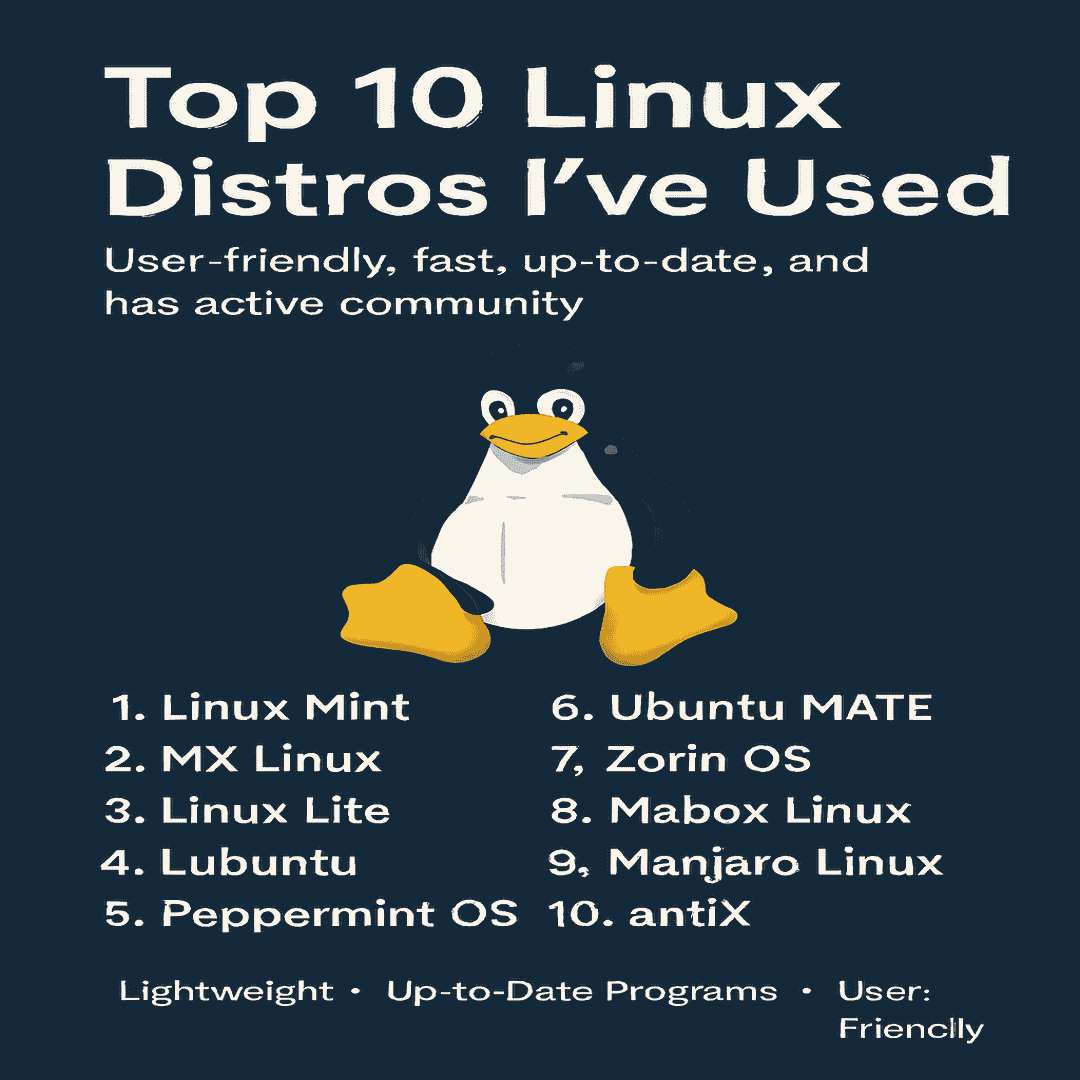
🐧 Top 10 Linux Distros I’ve Used: User-Friendly, Fast, Up-to-Date, and Backed by Active Communities
Linux offers a wide variety of distributions (distros), each tailored to different needs — from lightweight systems for older hardware to polished, user-friendly desktops for beginners. In my previous two post I give some reason Why I switch to Linux and Why You could do the same. In this post I will give you a list of Linux distros I have used before to get you started in the world of Linux. Here are the top 10 Linux distros I’ve personally used, along with their requirements and strengths.
🔹 1. Linux Mint
- Requirements: 2GB RAM, 20GB disk space, 64-bit processor.
- Highlights: Polished Cinnamon desktop, Windows-like interface, great for beginners.
- Category: User-Friendly
- Linux Mint
🔹 2. MX Linux
- Requirements: 1GB RAM, 15GB disk space.
- Highlights: Lightweight yet powerful, stable Debian base, excellent community support.
- Category: Lightweight
- Mx Linux
🔹 3. Linux Lite
- Requirements: 1GB RAM, 8GB disk space.
- Highlights: Designed for older PCs, simple XFCE desktop, beginner-friendly.
- Category: Lightweight + User-Friendly
- Linux Lite
🔹 4. Lubuntu
- Requirements: 1GB RAM, 10GB disk space.
- Highlights: Lightweight LXQt desktop, fast performance, ideal for low-spec machines.
- Category: Lightweight
- Lubuntu
🔹 5. Peppermint OS
- Requirements: 1GB RAM, 10GB disk space.
- Highlights: Cloud-focused, hybrid desktop, lightweight and flexible.
- Category: Lightweight
- Peppermint OS
🔹 6. Ubuntu MATE
- Requirements: 2GB RAM, 20GB disk space.
- Highlights: Classic MATE desktop, stable Ubuntu base, customizable.
- Category: User-Friendly
- Ubuntu MATE
🔹 7. Zorin OS
- Requirements: 2GB RAM, 20GB disk space.
- Highlights: Windows/macOS-like interface, polished design, great for newcomers.
- Category: User-Friendly
- Zorin OS
🔹 8. Mabox Linux
- Requirements: 1GB RAM, 10GB disk space.
- Highlights: Based on Manjaro, lightweight Openbox desktop, highly customizable.
- Category: Lightweight
- Mabox Linux
🔹 9. Manjaro Linux
- Requirements: 2GB RAM, 30GB disk space.
- Highlights: Rolling release, Arch-based but beginner-friendly, up-to-date software.
- Category: Up-to-Date Programs + User-Friendly
- Manjaro Linux
🔹 10. antiX Linux
- Requirements: 256MB RAM, 5GB disk space.
- Highlights: Extremely lightweight, runs on very old hardware, Debian-based.
- Category: Lightweight
- antiX Linux
| Category | Distro |
| Lightweight | MX Linux, Linux Lite, Lubuntu, Peppermint OS, Mabox Linux, antiX |
| Up-to-Date Programs | Manjaro Linux, Manjaro Linux |
| User-Friendly | Linux Mint, Ubuntu MATE, Zorin OS, Linux Lite, Manjaro Linux |
🎯 Conclusion
Whether you’re reviving an old PC, looking for a polished desktop, or wanting bleeding-edge software, these Linux distros cover all bases.
- Lightweight distros keep older hardware alive.
- User-friendly distros make Linux accessible to beginners.
- Up-to-date distros ensure you always have the latest software.
- Which One to Pick? Start with using friendly distro like Linux Mint and Mx Linux
👉 With active communities behind each of these, you’ll never be short of support.
You Might Also Like

Operating System
Top 5 Easiest Free Chrome OS Alternatives for Old PCs (No Fuss, Just Works)

linux
The Ultimate Guide: Best Linux Server Distros vs. Windows in 2026

linux
Why You Can Use Linux for Most Work Tasks in 2026

linux
Why I Stitched to Linux form Windows Operating System?
Operating System
Why or Why Not Use ChromeOS Flex?

Operating System